
SMA Bahasa Inggris: Pertanyaan, Jawaban, Latihan Soal & Pembahasan
Urutkan
Simon B
22 September 2023 09:42

2

Anthony B
22 September 2023 09:42
1
Anthony B
22 September 2023 09:42
1
Daphne B
22 September 2023 09:42
2
Eloise B
22 September 2023 09:41
1
Simon B
22 September 2023 09:41
3
Anthony B
22 September 2023 09:41
2
Daphne B
22 September 2023 09:41
1
Eloise B
22 September 2023 09:41
2
Simon B
22 September 2023 09:41
1
Activity 4
Work in pairs.
Read the following situations and answer the questions.
9. Mrs. Olivia is digging a hole on the ground. There are a spade, seed, manure, and a bucket of water around her. What is she going to do?
Pembahasan:
1
5.0
Activity 4
Work in pairs.
Read the following situations and answer the questions.
6. Ivan is cutting the pattern of cloth using scissors. There are a measuring tape, a needle, thread in various colors, paper, a pencil, cutter, and buttons. What is he going to do?
Pembahasan:
1
5.0
Task: Do the comprehension questions.
Answer the following questions by referring to the text about the photoshop above
What further information do you need so that you can really operate Photoshop?
Pembahasan:
1
5.0
Match the pictures.
You will see three group of things: pictures, names and descriptions of Photoshop Tools. Match them.
Names:
- The Brush Tool
- The Clone Tool
- Selection Tools
- Spot Brush
Pictures:
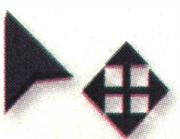
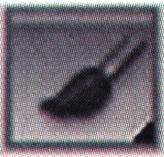
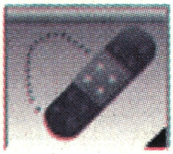
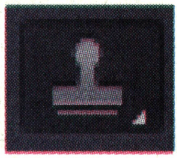
Description:
- These tools are one of the most basic functions of Photoshop. They let you directly focus on one area of an image, in any shape that you wish. You can outline an area and then apply different effects to that particular area. Say you have a portrait of a person standing with a house or sky in the background. You can outline objects in rectangular areas, elliptical areas and other ways.
-
This tool lets you select and alter the colors and opacity of different layers. This comes in handy when you have photos with foreground and backgrounds of different color saturation. If you saturate the full image, the foreground may come out oversaturated or vice-versa, so you want to isolate one or the other. You can use this tool over the areas that you'd like to remove in order to bring out the colors of the image to those areas alone.
-
This is a great tool for covering out spots from your photograph. This includes such things as skin blemishes or other small spots around the photograph that you'd rather not include. This tool works great for areas where you can blur the same tone and color onto the spot you'd like to remove (like skin or sky).
-
This tool is used to "duplicate" an area of the image. Imagine you have a photo of a view from a window and one area of the window's edge is cluttered or blurred. You can use this tool to select an area that is crisp and uncluttered, replicate it, and layer it over the original area in order to repair it.
(Source: blog.udemy.com/how-to-use-photoshop)
Selection Tools: ...
Pembahasan:
1
5.0
Situation: Your friend needs a book for his homework. But he doesn't have enough money to buy it.
What will you suggest him?
Pembahasan:
1
4.8
Can you mention some attitude problems?
Pembahasan:
2
4.0
This incomplete text is for numbers 10 to 12.
I would like to show you how to bake potato with microwave. First, prepare the potato, kosher salt, black pepper, and butter. Next, 10) ____ potato thoroughly, pat dry, and pierce 3 to 4 times with a fork. Then, place the potato on microwave-safe place. and microwave it for 7 minutes, turning over halfway through cooking If your potato isn't fork tender after 7 minutes, 11) ____ microwaving in 1 minute increments. Let rest for 2 minutes. Then, split the potato down the middle, 12) ____ with salt and pepper, and top with butter before serving.
10: ___
Pembahasan:
1
4.2
What is the song about?
Pembahasan:
1
4.3
Complete the sentences with the prepositional phrases.
A butcher is a person who works with meat. They cut the meat and sell it ____.
Pembahasan:
1
4.4
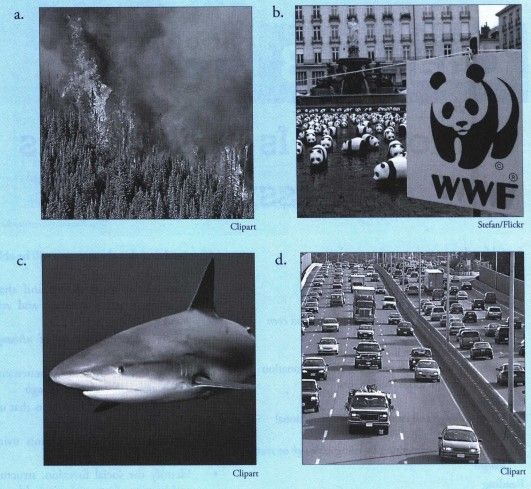
Look at the pictures in Activity 1 carefully. Then, write the number of the picture representing each statement.
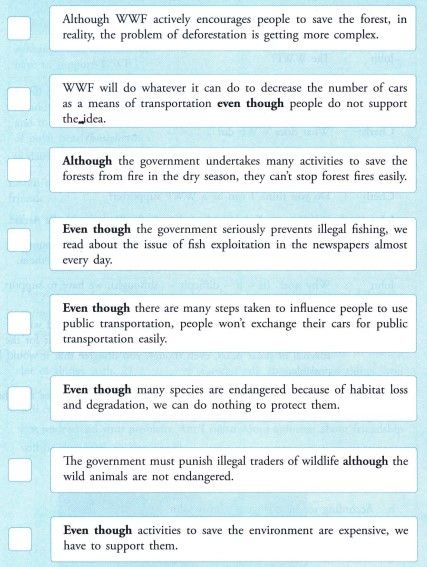
Pembahasan:
1
4.1

RUANGGURU HQ
Jl. Dr. Saharjo No.161, Manggarai Selatan, Tebet, Kota Jakarta Selatan, Daerah Khusus Ibukota Jakarta 12860
Coba GRATIS Aplikasi Roboguru

Coba GRATIS Aplikasi Ruangguru


Produk Ruangguru
Bantuan & Panduan
Hubungi Kami


Ikuti Kami


©2026 Ruangguru. All Rights Reserved PT. Ruang Raya Indonesia